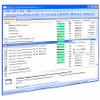
Enhanced task manager that monitors running processes with security ratings and detailed resource usage information
Enhanced task manager that monitors running processes with security ratings and detailed resource usage information
Vote (13 votes)
Program license Free
Developer Glarysoft
Version 1.6
Works under Windows
Vote
(13 votes)
Developer
Glarysoft
Works under
Windows
Program license
Free
Version
1.6
Pros
- Detailed process information beyond the standard Task Manager
- Trust ratings help identify suspicious applications
- Direct links to process information on Glarysoft’s database
- Lightweight and easy to use
- No noticeable impact on system performance
Cons
- Lacks advanced monitoring features found in other task manager alternatives
- Does not include real-time resource graphs or service management tools
- Process reputation system relies on user submissions, which may vary in accuracy
A detailed alternative task manager designed for enhanced process control
Advanced Process Management
Security Process Explorer is a Windows utility crafted to provide a more in-depth view of running processes compared to the standard Task Manager. Developed by Glarysoft, this software displays a comprehensive list of active applications and background processes alongside critical system information such as CPU and memory usage, process priority, thread counts, and DLL dependencies.
User-Friendly Interface
The application is set up with an interface familiar to those who have used Task Manager, making it accessible for both beginners and more advanced users. Users can sort columns to quickly assess the most resource-intensive tasks or identify unfamiliar processes. The interface allows processes to be terminated individually or their priorities adjusted, granting more hands-on control over system behavior.
Process Evaluation and Security Insights
A distinctive feature of Security Process Explorer is its trust rating system. Drawing on feedback from other users, it assigns a reputation score to each running process, helping users decide which processes may be suspicious or trustworthy. If uncertainty remains about a particular entry, the program offers a shortcut to access additional details on Glarysoft’s online database, streamlining the research process without overwhelming the user with technical jargon.
Functionality and Limitations
Despite its improvements over the default Windows Task Manager, Security Process Explorer does not match the feature depth of some advanced task management tools. Power users may notice the absence of real-time performance graphs, in-depth resource analytics, or granular control over services and startup programs. Its focus tends to be more on process identification and basic control rather than a full suite of system monitoring functions.
Lightweight and Efficient
Security Process Explorer is designed to consume minimal resources, suitable for systems with limited capacity or for those seeking a nimble utility that will not impact performance. Its download and installation footprint is small, and it runs without demanding administrator privileges for many basic tasks.
Conclusion
Security Process Explorer stands out as a useful alternative for users seeking more control and deeper insight than the default Task Manager provides. While it may not fulfill the needs of highly technical users craving extensive analytics or system tweaking, it offers a solid balance between usability and transparency regarding process activity.
Pros
- Detailed process information beyond the standard Task Manager
- Trust ratings help identify suspicious applications
- Direct links to process information on Glarysoft’s database
- Lightweight and easy to use
- No noticeable impact on system performance
Cons
- Lacks advanced monitoring features found in other task manager alternatives
- Does not include real-time resource graphs or service management tools
- Process reputation system relies on user submissions, which may vary in accuracy